

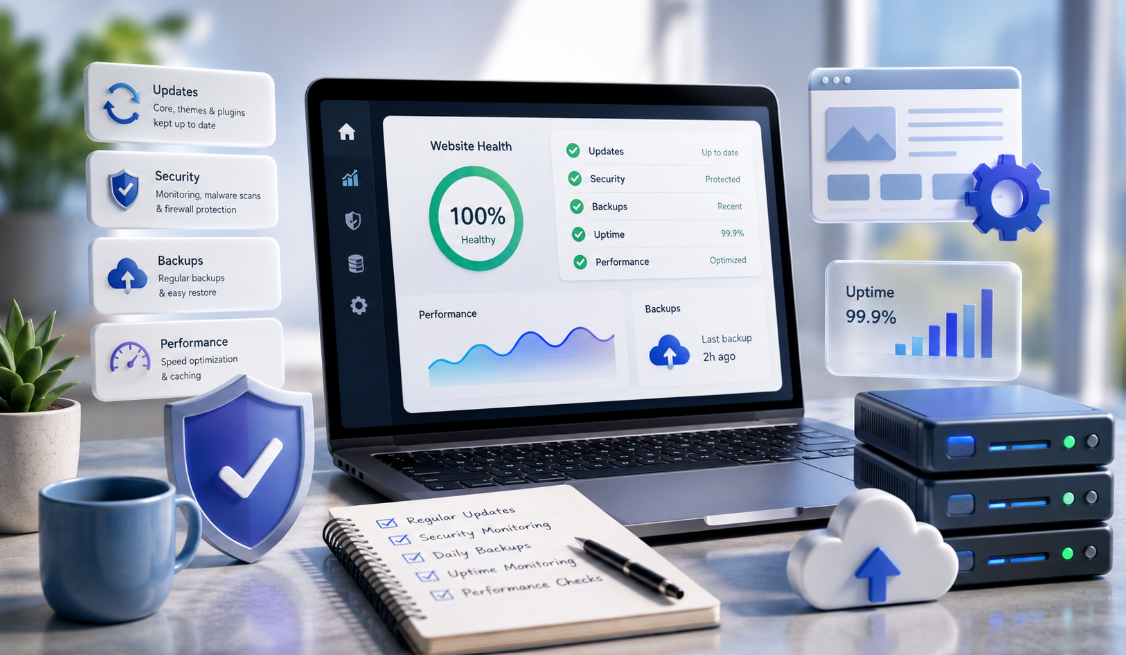
Short answer: keeping a WordPress website secure and dependable requires a regular routine, not a one-time setup. The foundation consists of four practices: keeping core, themes and plugins updated safely on a staging environment; storing daily automated backups in an independent off-site location; maintaining current PHP and database versions; and monitoring uptime and form delivery continuously.
WordPress powers millions of websites worldwide, which makes it a prime target for automated credential stuffing, bot spam and vulnerability scanning. For an Australian small business, a compromised or neglected site does not just disrupt operations; it can damage customer trust, leak enquiry data, and trigger penalties under Australian privacy regulations. This guide outlines the essential maintenance tasks that protect your digital investment without unnecessary complexity.
Key Takeaways
- Vulnerable plugins and outdated themes are common sources of WordPress security vulnerabilities, making extension audits as important as core maintenance.
- Backups must be stored off-site, separate from your hosting server, so that server outages or malware infections do not destroy your recovery files.
- Always test major plugin and WooCommerce updates on a staging copy or ensure an immediate restore snapshot is available before applying changes.
- PHP versions reach official end-of-life status on a predictable schedule; running legacy PHP degrades performance and exposes known vulnerabilities.
- A monthly care plan should include proactive monitoring and form verification, not just automatic button-clicking in the dashboard.
The Four Pillars of WordPress Site Care
WordPress maintenance is often misunderstood as simply clicking “Update All” once every few months. Effective care follows a structured discipline that preserves stability while patching security holes.
1. Safe update procedures
Updates patch security exploits, fix software bugs, and ensure compatibility with newer browser and server standards. However, updating plugins indiscriminately on a live site can cause database errors, styling breakage, or broken checkout flows, especially on WooCommerce stores. A professional workflow creates a restore point, reviews the changelog for breaking changes, applies updates in a staging environment where necessary, and visually verifies key conversion paths.
2. Off-site, automated backups
A backup stored only on the same server as your website is a weak recovery position. If the server experiences hardware corruption or account-level ransomware, the backup files are compromised alongside the live site. A reliable routine keeps several recent backups in different locations, encrypts the database and media files, and stores at least one copy in an independent cloud destination such as AWS S3 or Cloudflare R2. Backup frequency should match how often the site changes; a high-traffic store needs a shorter interval than a brochure site. Region choice is a separate data-governance decision, so confirm provider documentation rather than assuming a local copy by default.
3. Server environment & PHP lifecycle
The PHP programming language that powers WordPress releases security updates and deprecates older versions on a published schedule. Hosting on an outdated PHP version (such as PHP 7.4 or 8.0, both of which are past end of life) means the site no longer receives security fixes for that runtime and may face compatibility problems as WordPress and plugins move forward. Performance also depends on workload and server configuration rather than the PHP version alone. Modern WordPress sites should operate on an officially supported PHP release, which the PHP supported versions page tracks, ideally with server-level object caching (such as Redis or Memcached).
4. Uptime & form-delivery monitoring
A website can appear online while its contact form silently fails to send emails due to SMTP configuration errors, plugin conflicts, or aggressive spam filters. Uptime monitoring pings the server around the clock to detect downtime immediately, while monthly end-to-end form tests verify that customer enquiries reliably reach your team’s inbox.
WordPress Maintenance Checklist for Australian SMBs
| Frequency | Task | Why It Matters |
|---|---|---|
| Daily | Automated off-site database & file backup | Limits potential data loss to the backup interval when restores are tested |
| Daily | 24/7 uptime & malware monitoring | Reduces detection time for outages or injected code |
| Weekly | Plugin & security vulnerability review | Patches critical exploits before automated bots discover them |
| Monthly | Manual phone & contact form delivery test | Ensures enquiries are not silently dropped by email servers |
| Monthly | Database optimization & spam comment cleanup | Prevents database bloat and preserves query speed |
| Quarterly | Speed test & Core Web Vitals audit | Prevents gradual performance creep as media library grows |
| Annually | PHP version, SSL certificate & license renewal audit | Keeps runtime modern and avoids unexpected domain or plugin expirations |
Security Hardening Without Breaking Usability
Hardening WordPress does not require military-grade software; it requires eliminating basic administrative oversights:
- Enforce strong authentication: Require two-factor authentication (2FA) for all administrative and editor accounts. Never use the default “admin” username.
- Limit login attempts: Reduce automated brute-force guessing with rate limiting or a managed firewall, plus two-factor authentication, and set a lockout threshold your team can recover from without locking out real customers.
- Deploy an active Web Application Firewall (WAF): Use enterprise DNS and firewall layers, such as Cloudflare, to filter malicious traffic, DDoS attempts and scrapers before they reach your web host.
- Audit and prune inactive plugins: Deactivated plugins left in your wp-content directory can still be executed directly by attackers if they contain known exploits. If a plugin is not actively required, remove it entirely.
- Implement secure transport headers: Ensure SSL is forced sitewide and consider implementing HTTP Strict Transport Security (HSTS) to prevent SSL-stripping attacks.
DIY Maintenance vs Ongoing Managed Care Plans
A capable business owner can manage basic WordPress updates independently if their site is small, lacks complex ecommerce functions, and has low operational risk. However, as web traffic and lead volume grow, DIY maintenance carries an opportunity cost. Spending three hours troubleshooting a broken plugin update or repairing a database conflict is rarely the best use of a business owner’s time.
Professional website care plans typically bundle fast local hosting, enterprise security monitoring, scheduled safe updates and monthly maintenance reports into a single predictable fee. When choosing an agency or provider, verify that their servers are hosted in Australia (such as AWS Sydney), that they guarantee local response times, and that you retain full ownership of your domain, files and licenses. Review our website maintenance cost guide to see typical Australian pricing ranges for ongoing website support.
Frequently Asked Questions
How often should WordPress plugins be updated?
Security and bug-fix updates should be applied promptly after a backup and a compatibility check rather than on a fixed weekly schedule. Major feature updates (especially for complex plugins like WooCommerce, Advanced Custom Fields, or page builders) should be reviewed on a staging site or applied during low-traffic periods after confirming a clean backup exists.
What should I do if a WordPress update breaks my site?
Do not panic. If you have an off-site backup, immediately restore the database and files to the pre-update snapshot. If you have server access via SSH or SFTP, you can temporarily disable the problematic plugin by renaming its directory in /wp-content/plugins/, which will allow you to regain access to the WordPress admin dashboard.
Can WordPress sites be hacked even if they have an SSL certificate?
Yes. An SSL certificate encrypts data in transit between the visitor’s browser and your server (preventing eavesdropping on public Wi-Fi). It does not protect against vulnerable plugin code, weak admin passwords, brute-force attacks, or malicious server scripts.
Where should WordPress backups be stored?
Keep at least one backup copy in an independent cloud location (such as Amazon S3, Google Cloud Storage, or Cloudflare R2), decoupled from your hosting server, alongside any local or host-side copies. A backup that exists only on the same hosting account is vulnerable to account-level failure or malware infection.
Conclusion
A website is not a static asset that you can launch and ignore; it is an active operational system that requires regular technical care. Implementing dependable off-site backups, running staged updates, maintaining supported PHP versions and monitoring form delivery ensures your website stays fast, secure, and ready to convert visitors into customers.
To learn more about how DreamoonTech keeps small business websites running smoothly, explore our Adelaide managed website hosting and care services or read our guide on who owns your website assets and data.
