

Your Google Business Profile just disappeared from Maps. One day you ranked in the local pack, the next day a customer tells you they couldn’t find you, and every hour without your listing is a lost call and a lost job. Before you panic or pay someone a “guaranteed reinstatement fee,” stop. Most suspensions in Australia are fixable, and the fix starts with diagnosing which of four very different problems you actually have. This guide walks through exactly how to fix a suspended Google Business Profile in Australia, step by step, using the official Google sources as the base.
If your profile was working normally and you want the setup-and-optimise side instead, our Google Business Profile guide covers claiming, verifying and ranking. This article is the troubleshooting companion: what to do when something is already wrong.
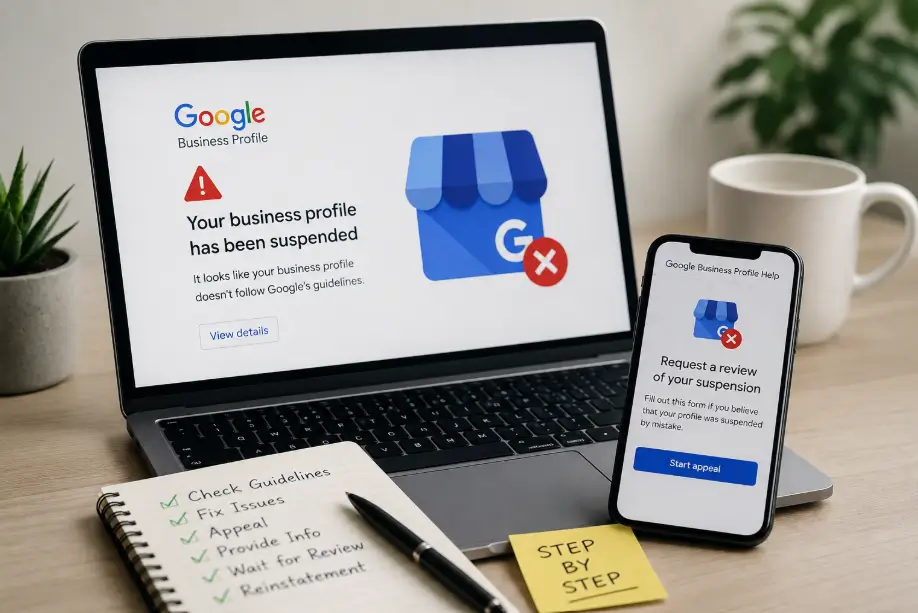
Key Takeaways
- ”Suspended” and “not showing up” are different problems. Diagnose which of the four states you’re in before touching anything.
- Most Australian suspensions trace to address issues, service-area settings, keyword-stuffed business names, or duplicate listings. Fix the trigger before you appeal.
- Reinstatement runs through the official Google process: fix the issue, then submit the reinstatement request with evidence. Never pay a third party that “guarantees” reinstatement.
- Google’s own guidelines say your profile can be suspended if you don’t avoid prohibited content and don’t represent your business accurately. Those two rules explain most cases.
- After reinstatement, a prevention checklist stops it happening again: consistent name-address-phone details, no duplicates, keep your details current.
Diagnose First: Suspended, Pending, or Just Not Showing Up?
The single most important step is to work out what “gone” actually means, because the four states have completely different fixes.
- Soft suspension. You can still log in to the Business Profile dashboard, but the profile shows a suspension message or is restricted. Usually fixable after you correct the profile data and request reinstatement.
- Hard suspension. The profile is removed from Google Maps and Search, and access is restricted or locked. Recovery is harder and needs a full evidence-backed reinstatement request.
- Verification failure or pending. The profile never fully verified, or verification is stuck on “pending.” This isn’t a suspension, and the fix is the verification process, not an appeal.
- Just not showing up. The profile is fine but you’re not ranking in the local pack, or Maps is showing stale cached data. No suspension at all; this is a visibility problem, not an access problem.
- Reviews missing but the profile is fine. This isn’t a suspension either. If your profile is live but individual reviews have vanished, the cause is usually a display bug, a policy removal or ghosting, not a suspension. Our guide on disappeared Google reviews covers that diagnosis separately.
To place yourself: log in and look at the dashboard status banner, check the email Google sent (the subject and message say whether it’s a suspension or a verification issue), and search your exact business name on Google Maps to see whether the listing is gone, restricted, or simply low in the results. Do this before you touch anything, because fixing the wrong problem can waste your reinstatement attempt.
Soft vs Hard Suspension: What Each Means
Google’s guidelines for representing your business on Google are blunt about why a profile can be suspended: “To make sure your Business Profile won’t be suspended we require that you: Avoid prohibited content and behavior. These policies apply to all of your Business Profile content. Reflect your business accurately”. In practice, two buckets cover most cases.
Soft suspensions are usually triggered by something wrong with the profile data itself: an address Google’s systems flag, a business name that looks keyword-stuffed, a category mismatch, or a detail that contradicts your website. The profile is restricted rather than deleted, and once you correct the data, a reinstatement request often succeeds. The fix is data hygiene, not an appeal essay.
Hard suspensions usually mean Google’s automated systems found evidence of prohibited content or behaviour, or repeated policy violations: spam patterns, a duplicate profile, fake reviews or engagement, or a business that doesn’t match what the profile claims. Recovery needs a complete evidence package and, in many cases, a manual review. The bar is higher, and the preparation matters more.
| Soft suspension | Hard suspension | |
|---|---|---|
| Dashboard access | Usually still accessible; you can correct data and submit reinstatement | Typically restricted or locked |
| Typical cause | Profile data issues: address representation, keyword-stuffed name, category mismatch | Prohibited content or repeated policy violations: spam patterns, duplicates, fake engagement |
| What the fix needs | Correct the data, then request reinstatement | Evidence package and often a manual review |
The Most Common Triggers for Australian Businesses
In our experience supporting Australian businesses, most suspensions trace back to a handful of local, very fixable causes:
- Residential address listed as a business address. A home-based business showing its home address on the profile when it shouldn’t, or a PO box listed as a physical location, both violate how Google wants business locations represented. If you operate from home and don’t welcome walk-ins, use a service-area profile without a displayed address.
- Service-area (SA) businesses misconfigured. If you serve customers at their location rather than receiving visitors, Google’s guidance is to set your profile as service-area, showing your service region rather than a street address. Displaying an address on an SA profile you shouldn’t, or setting the area incorrectly, is a classic trigger.
- Keyword-stuffed business names. “Plumbing Emergency 24/7 Cheap Sydney” is a violation of the representation guidelines, which ask that your business name reflect your real business name. Keywords belong on your website, not in your listing title.
- Duplicate listings. Two profiles for the same business, an old listing plus a new one, or a listing duplicated when someone else claimed it. Google’s guidelines expect one profile per business location, so duplicates can look like spam to the automated checks; the fix is merging, not adding a third profile.
- Inconsistent contact details. A phone number or website on the profile that doesn’t match your website or other directories looks like an untrustworthy listing.
If you want the correct baseline for a healthy profile, our Google Business Profile setup guide covers claiming, verifying and optimising without the mistakes above.
Diagnose Before You Act: A 5-Minute Check
Before clicking anything, run this quick check so your reinstatement attempt isn’t wasted:
- Read the exact message. The dashboard banner and Google’s email say whether it’s a suspension or a verification issue. Screenshot both.
- Check whether you’re verified. If the status is “pending verification” or you never completed verification, this is a verification problem, not a suspension. Complete verification instead of appealing.
- Search for duplicates. Search your business name and phone number. If there’s a second listing, Google may have flagged the pair.
- Compare your details across the web. Is your name, address and phone number the same on your website, your profile and your directories? Discrepancies look suspicious to the automated checkers.
- Rule out “just not showing up.” If your profile is live and verified but you’ve dropped out of the local pack, that’s a ranking problem, not a suspension. That’s covered in our Adelaide local SEO guide, not by reinstatement.
Diagnosing correctly up front is the difference between one appeal and a cycle of denials.
What to Check and Fix Before You Appeal
Submitting a reinstatement request with the underlying issue still present is the most common way businesses waste an appeal. Fix the cause first.
- Correct the business name to your real trading name. Remove keywords, location words and urgency words.
- Fix the address representation. If you’re a service-area business, set it to service-area with no displayed address. If you have a physical location, make sure the address is complete, real, and matches your website.
- Merge or remove duplicates. Use Google’s process to claim and merge a duplicate listing rather than abandoning it.
- Make name-address-phone consistent across your profile, website and key directories.
- Make your business provable. Have on hand the evidence you’d show a human reviewer: your ABN or business registration, photos of the storefront or vehicle, and records that tie your business to the claimed location.
If the profile’s verification was flagged because of a video request, Google’s guidance is to verify with a video recording showing key info about your business; video verification is available for businesses with a physical storefront, service-area businesses, and hybrid businesses. Preparing that video properly is often the fastest path back to a healthy profile.
How to Submit the Reinstatement Request
Reinstatement for most suspended profiles runs through the Business Profile dashboard. The exact entry point is shown in your account once you’re logged in; Google directs you to the reinstatement request flow from the dashboard when your profile is suspended. What you do with that request decides the outcome:
- Start from the dashboard and find the reinstatement or “request review” option. Do not create a new profile to bypass the suspension; a second profile makes the situation worse.
- Prepare your evidence package before starting. Google asks for proof that the profile represents a real business. Assemble: your business registration or ABN, photos that show the business and its location (storefront, signage, vehicle with branding), address or utility documents, and anything that ties your business to the claimed location.
- Write the request to show you fixed the issue. State plainly what you corrected (the name, the address representation, the duplicate) and attach the evidence. Keep it factual and short; this is an evidence review, not a marketing pitch.
- Submit once, then wait. Google doesn’t publish a guaranteed timeline for reinstatement, and in our experience repeated submissions can reset the review or slow it down. Submit once and monitor the dashboard and email for a decision.
Google’s own verification guidance emphasises that the profile must be verifiable, and for many businesses that now includes a video recording showing key business information. If reinstatement requires reverification, treat the evidence requirements the same way: prove the business is real, operating, and where you say it is.
If the Appeal Is Denied
A denied appeal isn’t the end, but it usually means either the underlying issue is still present or the evidence was insufficient. Work the problem again:
- Re-read the denial for the reason. Google’s message often points to the policy area. Map that back to the trigger list above and fix the specific gap.
- Strengthen the evidence. More photos, a clearer connection between the business and the location, consistent NAP across your website and directories.
- Re-submit after a reasonable interval. Don’t spam the request. Fix the issue, wait, and re-apply with the improved package.
- For hard suspensions, be prepared for manual review. Some cases need a human reviewer; the evidence package is what makes that review pass.
One pattern Australian businesses see: after a suspension or a change of admin, Google requests video verification to re-establish the profile. Treat this as a normal (if annoying) step and record the video properly; it often resolves a stubborn case.
Prevention Checklist: Don’t Get Suspended Twice
Once your profile is back, keep it healthy. The same rules that triggered the suspension are the ones that protect it:
- Keep your business name as your real name. No keywords, no location words, no urgency words.
- Never run two listings for the same business. One profile, one address representation, one category that matches your primary service.
- Update the profile the moment details change: new address, new phone, new hours, temporary closure. A profile that contradicts your website is a suspension waiting to happen.
- Keep your name, address and phone number consistent across your website, Google, and directories.
- Stay active on the profile and don’t use engagement tricks (fake reviews, incentivised reviews) that Google treats as prohibited behaviour.
If your local presence needs more than a fix, our SEO service covers sustainable local ranking work; and if you’re weighing whether local SEO is worth the cost, our SEO cost guide explains what the budget usually buys.
Official Sources
These are the Google pages referenced above, fetched and verified on 2026-08-27:
- Guidelines for representing your business on Google: the suspension and representation rules quoted above.
- Verify your business on Google: verification methods and how profiles get verified.
- Verify your business with a video recording: the video verification process referenced above.
The reinstatement flow itself is reached from the Business Profile dashboard when a profile is suspended; Google directs eligible accounts through it. This article is practical guidance for business owners, not legal advice, and reinstatement outcomes are decided by Google.
Frequently Asked Questions
How long does Google Business Profile reinstatement take?
Google doesn’t publish a guaranteed timeline. After you submit a reinstatement request, monitor the dashboard and email for a decision, and don’t resubmit repeatedly, because repeated requests can reset the review. Focus on making the first request complete and correct.
Why was my Google Business Profile suspended?
In most Australian cases it’s one of: a residential address shown as a business address, a service-area business displaying an address it shouldn’t, a keyword-stuffed business name, duplicate listings, or contact details that contradict your website. Google’s guidelines require you to avoid prohibited content and represent your business accurately.
Can I still log in to a suspended Google Business Profile?
It depends on the suspension type. With a soft suspension you can usually still access the dashboard, which is where you correct the data and submit the reinstatement request. With a hard suspension, access is typically restricted or locked, and the path back goes through the evidence-based reinstatement process.
What happens if my reinstatement request is denied?
Fix the underlying issue the denial points to, strengthen your evidence (more photos, consistent NAP, clearer proof of the location), wait a reasonable interval, and resubmit. Hard suspensions may need a manual review; a complete evidence package is what makes that pass.
Does a suspended profile stop me from ranking on Google Maps?
Yes. A suspended or disabled profile is not shown in Google Maps or Search results, which is exactly why the business disappears for customers. That’s also why reinstatement, not a second profile, is the right fix: a new profile while the old one is suspended compounds the problem.
Is paying someone to restore my profile safe?
Be very careful. Reinstatement runs through the official Google process, which only you (or someone with access to your account) can submit properly, with evidence of your business. Anyone who “guarantees” reinstatement for a fee is making a promise Google itself doesn’t make. If you want help, work with someone who prepares the evidence and guides you through the official process, not someone who promises a shortcut.
Conclusion: Diagnose, Fix, Appeal, Prevent
A suspended Google Business Profile is stressful precisely because it’s urgent: every hour offline is a lost customer. But the fix is almost always methodical rather than magical. Diagnose which of the four states you’re in, correct the trigger (usually the name, the address representation, or a duplicate), submit one complete reinstatement request with real evidence, and then run the prevention checklist so it doesn’t happen again. If you’d rather have someone prepare it properly, tell us what the suspension message says and we’ll give you an honest read on whether it’s recoverable.
