

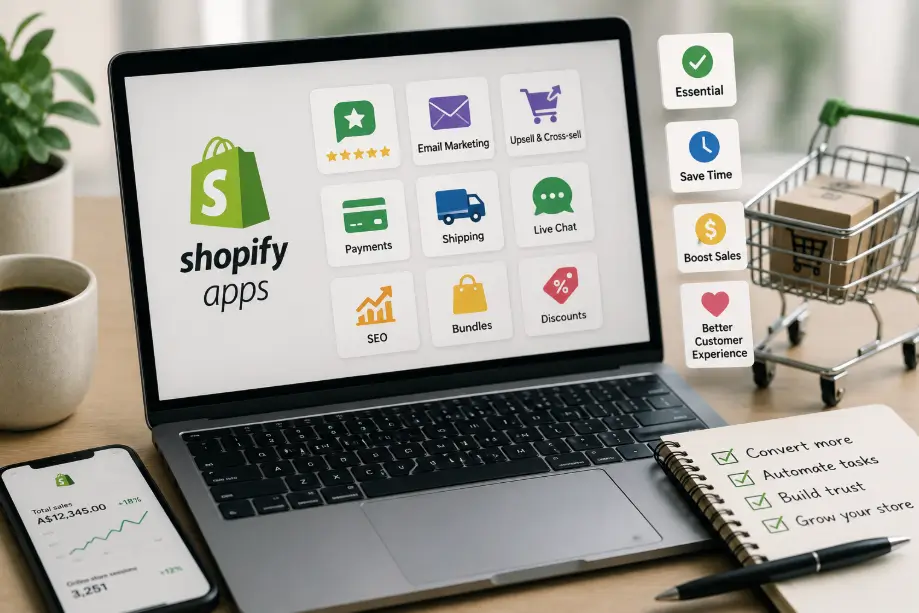
Shopify’s official app store describes itself as hosting over 16,000 apps, which makes choosing shopify apps for small business feel like standing in the world’s biggest supermarket and being told to buy something useful. Here is the answer first: most Australian small stores only need 4 to 6 apps, and the ones worth paying for are the ones that replace work or raise conversion, not the ones that look nice in a demo. Before you install anything, understand that every app you add is a monthly bill and a third-party data connection, so the real skill is not picking apps, it is saying no to most of them.
This guide covers how many apps an Australian small business should run, the four questions that filter any app before you install it, the categories that actually earn their fee, a short list we would install today, and the kinds of apps to stay away from. If you are still deciding whether Shopify is the right platform at all, our Shopify vs WooCommerce comparison covers the platform decision; this article starts from the point where you are already on Shopify and need to know what to run on it. If you are deciding what the platform itself will cost you before you commit, our Shopify store cost guide covers the subscription, theme, and app costs to plan for.
Key Takeaways
- Most Australian small stores only need 4 to 6 Shopify apps. Shopify’s own app store claims over 16,000 apps; that number is a source of choice paralysis, not a buying list.
- Shopify Help states that most apps are built by third-party developers, not by Shopify, which means every subscription price and every data policy is set by someone outside Shopify.
- Run any app through four questions first: does the built-in feature do it, what do recent reviews and the install/uninstall ratio say, is the free tier enough, and will the monthly fee survive your margin.
- Only three app slots are near-universal for an Australian store: payments, shipping (Australia Post is supported natively), and one marketing channel. Every other app earns its place per category.
- An app’s real cost is the subscription multiplied across twelve months, not the one-time install. Free plus one paid is usually the right shape for a small store.
Most Stores Should Run 4 to 6 Apps, Not 40
The more apps a store installs, the thicker the monthly bills, the slower the page, and the higher the chance two plugins fight each other. Shopify’s app store claims over 16,000 apps (an official self-reported figure), and that is exactly why restraint is the strategy: an app count in the thousands is a source of choice paralysis, not a reason to buy.
Three costs grow with every app you add:
- A monthly bill. Shopify’s Help Centre is explicit that most apps are built by third-party developers, not by Shopify, so the subscription price and the renewal terms are set by someone outside Shopify, store by store.
- A slower storefront. Every app injects scripts and requests into your storefront. Ten apps with tracking scripts will measurably lag a store with three, and page speed is a conversion issue, not just a vanity metric.
- A third-party data connection. Each app can see customer data, order data, or store data, and when you unsubscribe, exporting that data cleanly is often the hardest part. Fewer apps means fewer data relationships to manage.
Before you install an app, check whether Shopify already does it natively: built-in payments, basic shipping, discounts, email through Shopify Email, and the built-in analytics cover a surprising amount of ground for a small store. The four-to-six slot pattern we recommend is: one payments method, one shipping integration, one marketing channel, one conversion tool, and up to two vertical tools that your specific store genuinely needs. That is a tight budget, which is the point: a tight budget forces you to only install apps that earn their fee.
If you are still weighing whether Shopify is the right platform for your budget at all, our Shopify store cost guide breaks down the subscription, theme, and app costs an Australian store should plan for.
How to Choose a Shopify App: The Four Questions
Before you install any app, run it through four questions. If an app does not pass at least three of them, it is probably not earning its fee for a small store.
- Can the built-in feature do it? Shopify natively handles payments, basic shipping rates, discounts, and simple email. Do not pay a monthly fee for something the platform already gives you.
- What does the install/uninstall ratio say? High ratings mean little if the reviews are full of “installed and uninstalled within a week.” Read the recent reviews, especially one-star ones, and check whether the developer actually responds to support questions.
- Is the free tier enough? Many apps have a genuinely useful free tier, and Shopify’s own roundup of free apps shows a small store can start without paying for anything. Upgrade to paid only for the exact feature you need.
- Will the subscription survive your margin? A monthly fee multiplied by twelve is an annual bill. For low-margin product categories, app spend is a budget line that has to justify itself against the sales it generates.
These four questions are the whole method. Everything below is the method applied to the categories an Australian store actually touches, so that a specific app recommendation is just the four questions answered for one store.
The Apps Worth Paying For: Categories That Earn Their Fee
Paid apps earn their fee in only two situations: when the native feature is genuinely missing, and when the app saves you enough labour or lifts conversion enough to pay for itself. The categories below are where an Australian store most often hits one of those two situations.
- Payments. Shopify Payments is built in and supports cards, wallets, installments, and crypto for Australian stores. For most stores that is the payment app. Add a payment provider app only when Shopify Payments is not an option for your market or your business type.
- Shipping and labels. Australia Post is a native Shopify shipping integration: connect your Australia Post MyPost Business account to access your rates and buy shipping labels directly from your admin. For an Australian store, shipping is the most likely app to genuinely earn its fee, because it replaces manual rate lookups and label entry.
- Reviews and social proof. Product reviews, star ratings, and photo reviews move conversion for stores that sell to new customers. The native feature is thin here, so a review app is one of the more defensible paid choices.
- Email and SMS marketing. A marketing app that reaches past customers and recovers abandoned carts usually pays for itself if your store has repeat purchases. Shopify Email covers a small store’s basics first, before you add a bigger marketing platform.
- Bookings and appointments. Only if you take bookings. A service business selling appointment slots on Shopify genuinely needs a bookings app; a product store does not.
- Conversion and discounts. Pop-ups, bundles, and urgency tools lift conversion in specific situations. Install these only after the basics above are working, because a pop-up cannot rescue a store with slow shipping and no reviews.
Notice the pattern: the categories that earn their fee are the ones where a native feature is missing and the app replaces manual work or lifts a specific conversion number. Categories that duplicate what Shopify already does are exactly the ones to skip.
10 Apps We’d Recommend for an Australian Store
The list below is ordered from install-without-thinking to only-if-you-need-it. Every entry names what it solves and when not to install it, and the store cost guide shows how app fees fit the wider Shopify budget. Subscription prices change constantly, so this list deliberately avoids hard-coded prices and uses what you can verify yourself.
- Shopify Payments. The built-in payments layer. Accept cards, wallets, installments, and crypto. Do not install a separate payment app unless you need a specific gateway Shopify Payments does not offer.
- Australia Post shipping. Native integration for real-time rates and in-admin labels via your MyPost Business account. For an Australian store this is a near-universal install; skip it only if you use a third-party fulfilment service that handles labels for you.
- Shopify Email. Email marketing on the free tier for a small volume of sends (10,000 emails per month in the current free tier, alongside Shopify Messaging). Start here before paying for a bigger marketing platform.
- Shopify Messaging. A Shopify-developed app for email, SMS, and WhatsApp marketing with a free tier and paid options beyond it. Install when you want SMS and chat on top of email, and check the free tier covers your list size before paying.
- A reviews app. Product reviews and star ratings, chosen by the same four questions. Install when you sell to new customers and have reviews to collect; skip if you have very few products or a referral-driven sales model.
- An abandoned cart recovery tool. Recovers customers who added to cart but left. Install only when you have traffic and a checkout drop-off problem you have measured, not pre-emptively.
- A discount or bundle tool. Volume discounts and bundles lift average order value. Install when you have products that pair naturally; skip if your catalogue is small.
- A bookings app. For service businesses taking appointments. Install only if you take bookings; product stores should not.
- A tax or GST tool. Useful when you sell across state borders or at volume and want automated GST handling. A small single-state store can often start with the built-in tax settings and add a tool later.
- An SEO app. Some stores find value in an SEO helper for metadata, alt text, and redirects. Verify what it actually automates before paying, because a lot of SEO work is still manual and the native editor does the basics. The manual work that matters most, writing product titles and descriptions that get found, is covered in our ecommerce product page SEO checklist.
Five of these ten are native or official (Shopify Payments, Australia Post, Shopify Email, Shopify Messaging, and the built-in tax settings). That is the point: the most defensible “must-have” list is mostly Shopify and Australia Post doing the work, plus one or two genuinely useful third-party apps. If you are comparing Shopify against WooCommerce and wondering how the app ecosystem differs, our Shopify vs WooCommerce guide compares the plugin markets side by side.
Apps to Be Careful With
Three kinds of apps deserve extra caution, and they are the ones a “top 50 apps” list article will never warn you about.
- Redundant apps. Two apps doing the same job: two review tools, two pop-up tools, two analytics scripts. Each one still bills you, each one still slows the page, and the two can conflict. Audit once a quarter and uninstall the duplicate.
- Renewal traps. Free trials that flip to annual billing automatically, and cancellations that require contacting support or a manual step. Read the subscription terms before you start the trial, and set a calendar reminder for the trial’s end date.
- Data exports. Apps hold your customer data, order data, and store data on their servers. When you unsubscribe, exporting that data cleanly is often hard. Before installing, read the app’s data policy, not just its feature list, because a third-party app is a third-party data relationship.
Shopify’s Help Centre is worth quoting here because it frames all three cautions: “Most apps for Shopify stores are built by third-party developers, not by Shopify”. “Third-party” means the pricing, the renewal terms, and the data policy are all set by someone else, and it is your job to read them.
The Real Cost Is the Subscription
The hidden cost of apps is not the one-time install; it is the monthly bill multiplied across the year, and then multiplied again by the number of apps. A store with five apps averaging $20 to $50 per month carries an annual app bill in the range of $1,200 to $3,000, which is a real line on a small business budget. The exact numbers vary with the apps you pick, which is why this guide avoids writing down prices that change.
Two habits keep this cost sane. First, “free plus one paid” is usually the right shape: start on free tiers, and pay for exactly the one app whose missing feature is costing you sales or hours. Second, re-run the four questions on every app you already have, once a quarter, and uninstall anything that no longer passes. The subscription cost is part of the ongoing cost of running a Shopify store, which is why our Shopify store cost guide treats app fees as a recurring line rather than a one-off purchase.
If an app genuinely saves you hours every month or measurably lifts conversion, it earns its subscription. If it does neither, it is a bill you are paying for a feature you are not using.
Frequently Asked Questions
How many Shopify apps should a small business use?
Most Australian small stores only need 4 to 6 apps. The typical shape, covered above, is one payments method, one shipping integration (Australia Post), one marketing channel, one conversion tool, and up to two vertical tools your specific store needs. The discipline is not hitting a number, it is stopping at the point where each new app must justify its own monthly bill.
Are free Shopify apps enough for a small business?
Often yes, to start. Shopify’s own roundup lists 20 free apps covering marketing, SEO, and customer experience, and Shopify Email’s free tier covers a small store’s basics. Start on free tiers, as the list above shows, and pay only for the one or two features that are genuinely missing.
Which Shopify apps are essential for an Australian store?
Payments (Shopify Payments is built in), shipping (Australia Post is a native integration), and one marketing channel cover the essentials for most stores. Reviews, bookings, and conversion tools are added per category only when your store type needs them.
Do Shopify apps slow down my store?
They can. Every app injects scripts and requests into your storefront, and each one adds to load time and to the risk of plugin conflicts. Use native features first, audit your app list quarterly, and uninstall anything that is not earning its fee.
How much should I budget for Shopify apps per month?
Plan qualitatively first, then by what the apps you actually need cost. A small store can often start with free tiers, and a typical paid-app budget lands in the tens of dollars per app per month. Multiply by twelve to see the real annual cost before you commit.
Conclusion
Shopify apps are not the way a store wins; they are the extras that earn their keep or quietly bleed your budget. Run every app through the four questions, keep the store to 4 to 6 apps, treat the subscription as an annual cost, and audit the list once a quarter. If you would rather leave the choosing and the maintaining to someone who does this daily, our Shopify development service covers building and optimising a store, and we will tell you honestly which apps are worth your monthly budget.
